

BERNAS.ID – Discover why 192.168.0.1 is crucial for home networks. Learn about router access, IP management, and enhancing your network’s performance.
Importance of 192.168.0.1 for Home Networks
192.168.0.1 is a well-known private IP address used by many routers as a default gateway. This IP address serves as an access point for various network devices including laptops, PCs, smartphones, and tablets. Whether you’re setting up a new router, troubleshooting network issues, or trying to enhance security, understanding 192.168.0.1 is essential. This guide explains why this IP is crucial, how it facilitates router management, its role in network security, and how to troubleshoot common issues.
Understanding 192.168.0.1: The Basics
192.168.0.1 is a private IP address utilized by nearly all major router manufacturers, such as Huawei, Linksys, D-Link, Asus, Netgear, and TP-Link. The purpose of this gateway IP is to route internal traffic and manage local networks effectively. Unlike a public IP, which identifies a network to the external internet, a private IP like 192.168.0.1 handles communication within the home or office network.
Baca Juga : Masih Trauma Dengan WannaCry, Bad Rabbit Jadi Ransomware yang Menyerang Eropa dan Rusia
This distinction is crucial for maintaining a secure and functional network environment. Understanding its significance lays the foundation for effective network management and security, enabling users to tailor their settings according to specific needs.
How 192.168.0.1 Facilitates Router Management
Accessing the Router Login Page
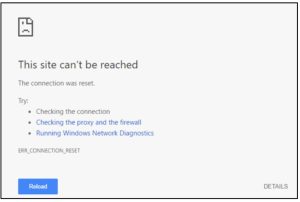
Accessing the router login page via 192.168.0.1 is relatively straightforward. Simply type “192.168.0.1” into your browser’s URL bar. If this IP isn’t correct for your router, you may receive an error message, necessitating the identification of the router’s correct IP address. It’s important to consult your router’s manual or the manufacturer’s website for this information.
Once the correct IP is located, input it in the address bar again. You will then be prompted to enter a username and password. If these credentials are forgotten, consult resources such as the default router usernames and passwords list to regain access. Understanding the 192.168.0.1 login process ensures that you can manage your network settings efficiently.
Changing Network Settings via 192.168.0.1
Once logged into the router’s admin panel, users have comprehensive access to network settings. Here, you can change essential configurations that significantly affect your network’s performance and security:
First, change router login information. It’s best to begin by changing your router’s default password to something more secure. Navigate to Settings > Reset Router Password. Enter a new, strong password and save the settings. This step is crucial in preventing unauthorized access. Second, change router IP address. To enhance security, change the local IP address by accessing Setup > Network Setup > Router Settings. Enter the new IP address and save it.
This reduces the chances of being targeted by external attacks.
Third, set up parental controls. Parental controls can filter inappropriate content and monitor usage, providing a safer online environment for children. Access these controls under security settings to customize restrictions based on your needs.
Fourth, reset router. If necessary, reset the router settings by either using the onboard button or by unplugging the router for a minute. This can help resolve stubborn issues that persist even after troubleshooting.
Fifth, update firmware. Firmware updates enhance router performance and security. Check for updates on the router manufacturer’s website and install them as instructed. Regular updates can close security vulnerabilities and improve overall functionality.
The Role of 192.168.0.1 in Network Security
Setting Strong Passwords and Encryption
Security is a critical function of 192.168.0.1, starting with strong passwords. Access your router settings to change the default login credentials to something both complex and memorable. It’s advisable to include a mix of letters, numbers, and special characters. Additionally, enable encryption protocols like WPA3 to protect your network traffic against unauthorized access. This is essential in today’s digital landscape, where threats to network security are increasingly sophisticated.
Firmware Updates for Enhanced Security
Routers often require periodic firmware updates to patch vulnerabilities and improve functionality. Regularly check the manufacturer’s website for firmware updates. Access the router through 192.168.0.1, navigate to the update section, and follow the instructions to install the latest firmware version. Keeping firmware up-to-date not only enhances security but also ensures that the router operates efficiently, leveraging the latest features available.
Common Issues and Troubleshooting with 192.168.0.1
Connection Problems and Solutions
Many users encounter issues accessing 192.168.0.1. Ensure you’re entering the correct IP address. If problems persist, restart your router, use another browser, or verify that all cables are correctly connected. During the configuration, ensure that your data plan is active and that ISP-provided login credentials are correctly entered. If you still face issues, consider temporarily disabling any firewall or antivirus software that may be interfering with the connection.
Baca Juga : Pemanfaatan Internet untuk Menyebarkan Konten Positif, Caranya?
Resetting the Router via 192.168.0.1
If network issues persist, a router reset might be necessary. Log in to the admin panel via 192.168.0.1, navigate to the reset option in your settings, and follow the prompts. Alternatively, physically resetting the router involves pressing the onboard reset button for a few seconds. Be aware that resetting will erase all custom settings, so it’s advisable to back up configurations if possible before performing this action.
Conclusion
192.168.0.1 is pivotal for managing and securing home networks. It serves as the gateway to essential settings that can optimize network performance, enhance security, and resolve technical issues. By understanding how to effectively use 192.168.0.1, homeowners can significantly improve their network management and security, ensuring reliable and safe internet access. With the right knowledge and tools, you can create a more efficient and secure network environment for all connected devices in your home. (adv)
